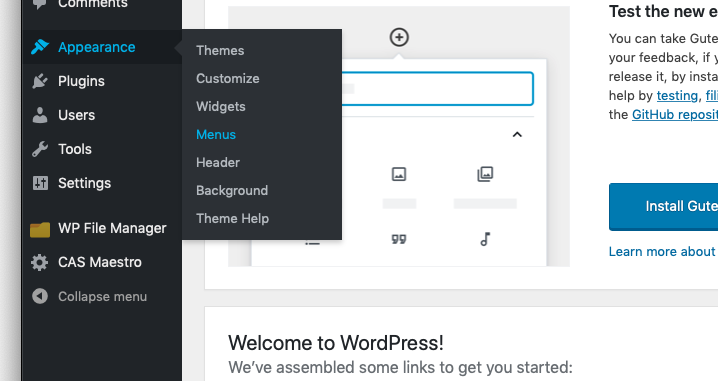
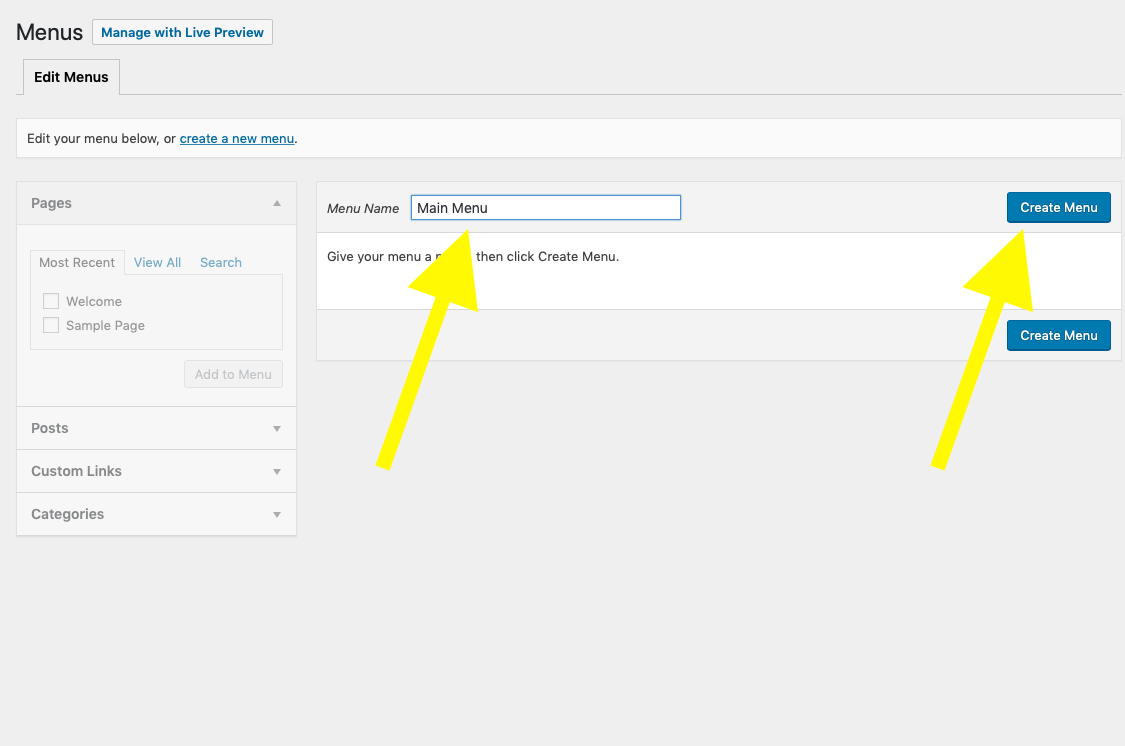
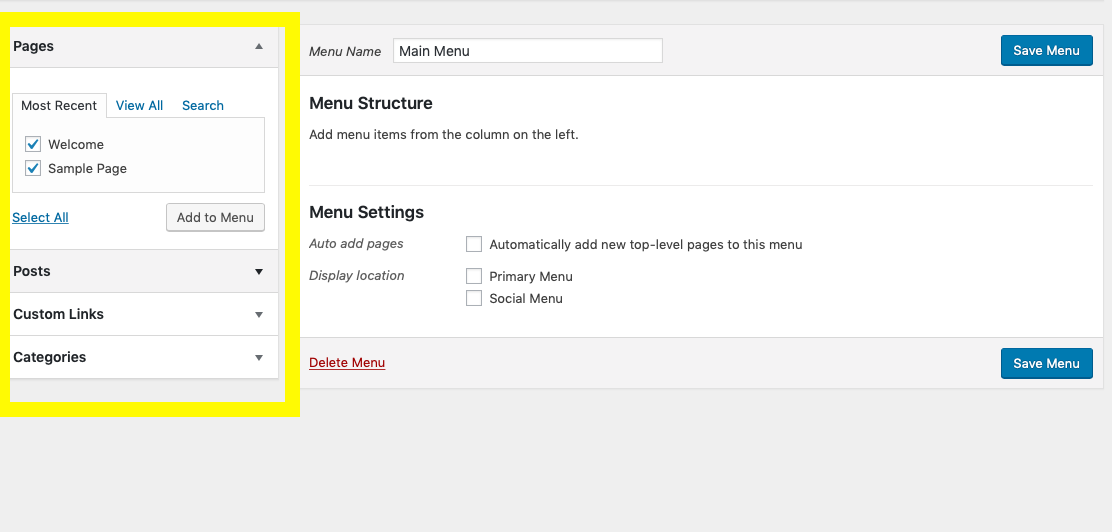
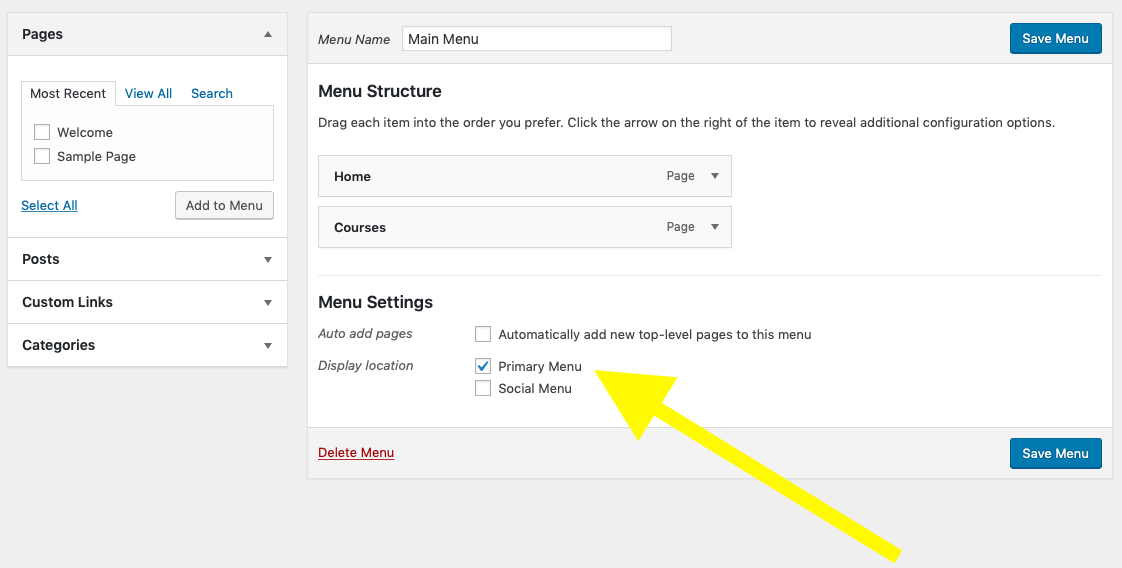
WordPress: Adding a site menu Kris Hardy January 28, 2019 16:37 Updated Follow Step 1 - Hover over 'appearance' and click on 'menus'. Step 2 - Name your menu and click 'create menu'. Step 3 - Using the options on the left, add pages or custom URLs to the menu. Step 4 - Adjust settings to display menu Comments 0 comments Please sign in to leave a comment.

Comments
0 comments
Please sign in to leave a comment.